En Linux moderno (systemd), los servicios (demonios en segundo plano) se gestionan con systemctl.
Listar servicios
systemctl list-units --type=service            # activos
systemctl list-units --type=service --all       # todos
systemctl --failed                              # los que han fallado
Estado de un servicio
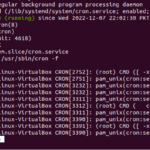
systemctl status nginxMuestra si está active (running), cuándo arrancó y sus últimos logs.
Acciones habituales
| Comando | Acción |
|---|---|
systemctl start X |
Iniciar |
systemctl stop X |
Detener |
systemctl restart X |
Reiniciar |
systemctl enable X |
Arrancar al inicio |
Preguntas frecuentes
¿Cómo sé si un servicio está activo?
Con systemctl is-active nombre (responde «active» o «inactive»).
Necesito sudo
Para ver el estado no siempre; para start/stop/enable sí necesitas sudo.
También puede interesarte: